Search
When a search is submitted to Crystalline, it will be parsed into a sequence of steps to be evaluated.
This is the example search that will be broken down in this document:
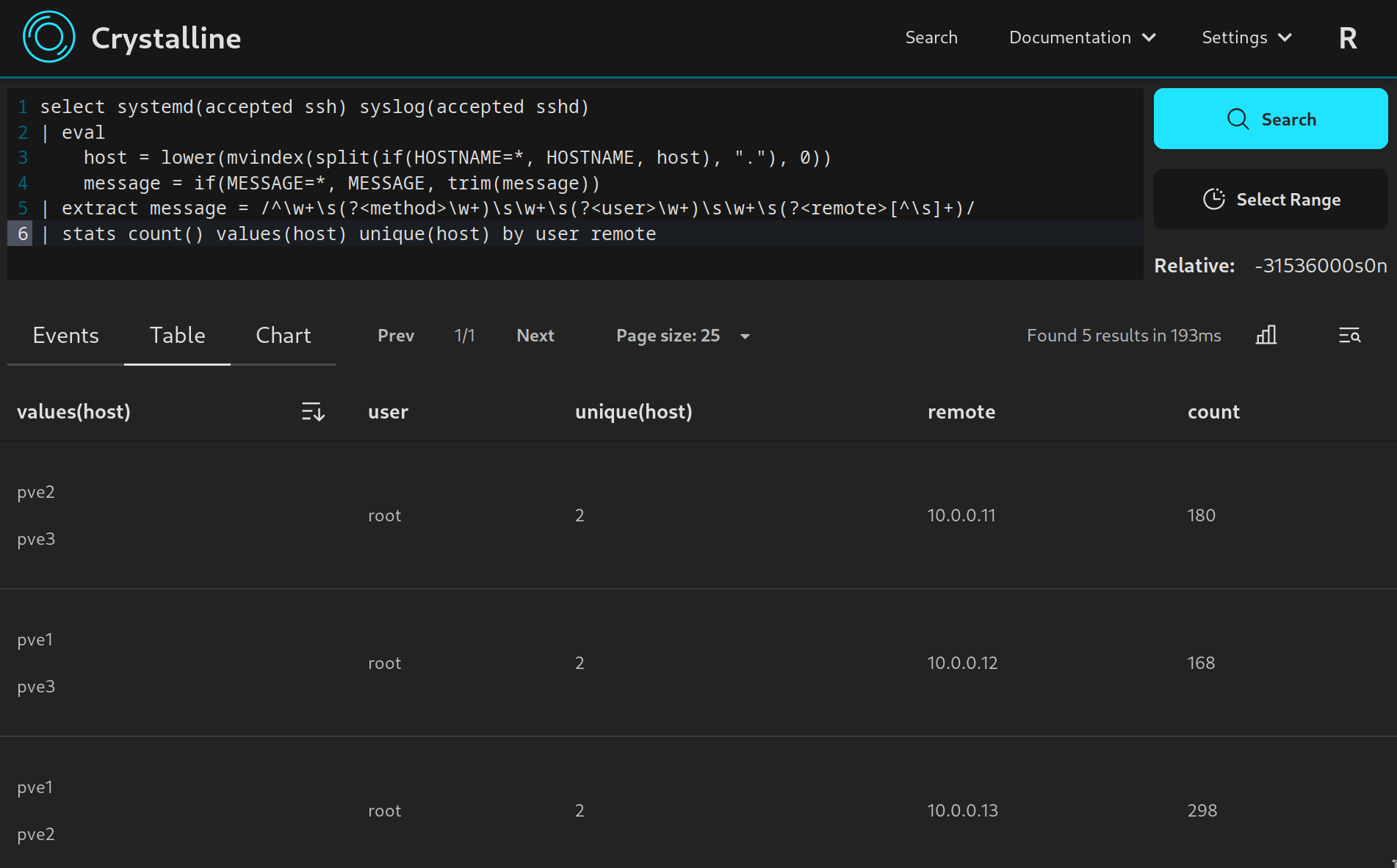
Search code
select systemd(accepted ssh) syslog(accepted sshd)
| eval
	host = lower(mvindex(split(if(HOSTNAME=*, HOSTNAME, host), "."), 0))
	message = if(MESSAGE=*, MESSAGE, trim(message))
| extract message = /^\w+\s(?<method>\w+)\s\w+\s(?<user>\w+)\s\w+\s(?<remote>[^\s]+)/
| stats count() values(host) unique(host) by user remote
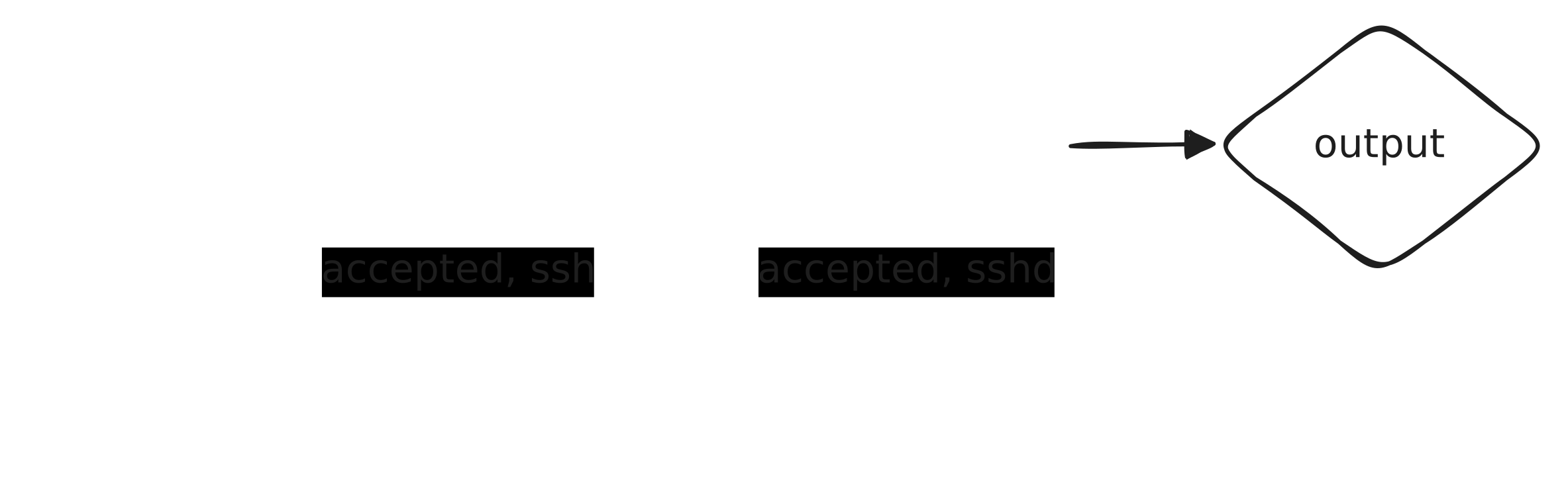
Every command will send events to an output channel, which is then passed as input either to the next command or to the search result collector for the current job. There are 2 main types of command, with source commands generating events and not requiring an input channel, and stage commands that consume an input channel and produce a new output channel.
The select command
The first command in this search is the source command “select”. This command will select events based on keywords and the specified time span directly from the specified indices.
select systemd(accepted ssh) syslog(accepted sshd)
The eval command
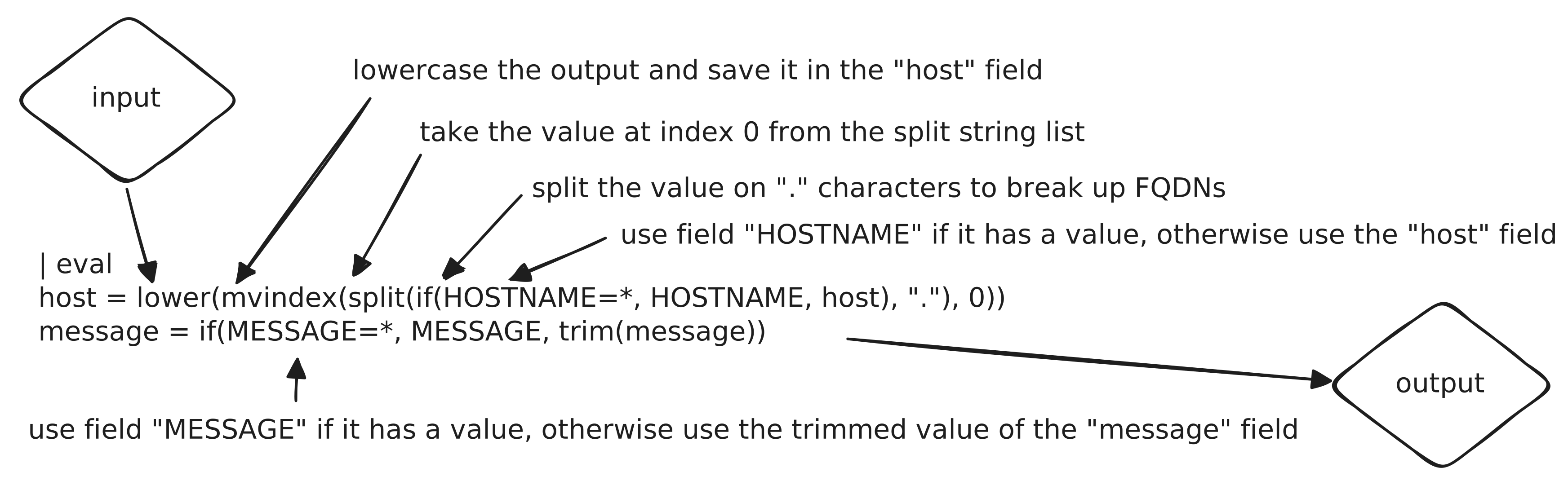
The second command is the stage command “eval”, this command will evaluate a sequence of subcommands against each event in the input channel, then send the modified events to an output channel.
| eval
	host = lower(mvindex(split(if(HOSTNAME=*, HOSTNAME, host), "."), 0))
	message = if(MESSAGE=*, MESSAGE, trim(message))
The extract command
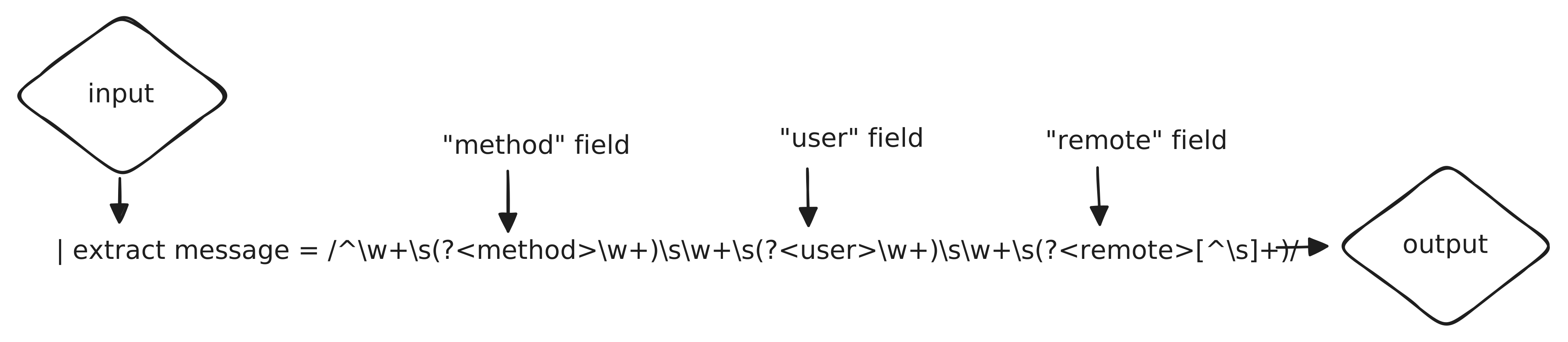
The third command is the stage command “extract”, this command will use a regular expression to extract fields from an event if the expression matches, then send the modified events to an output channel.
| extract message = /^\w+\s(?<method>\w+)\s\w+\s(?<user>\w+)\s\w+\s(?<remote>[^\s]+)/
The stats command
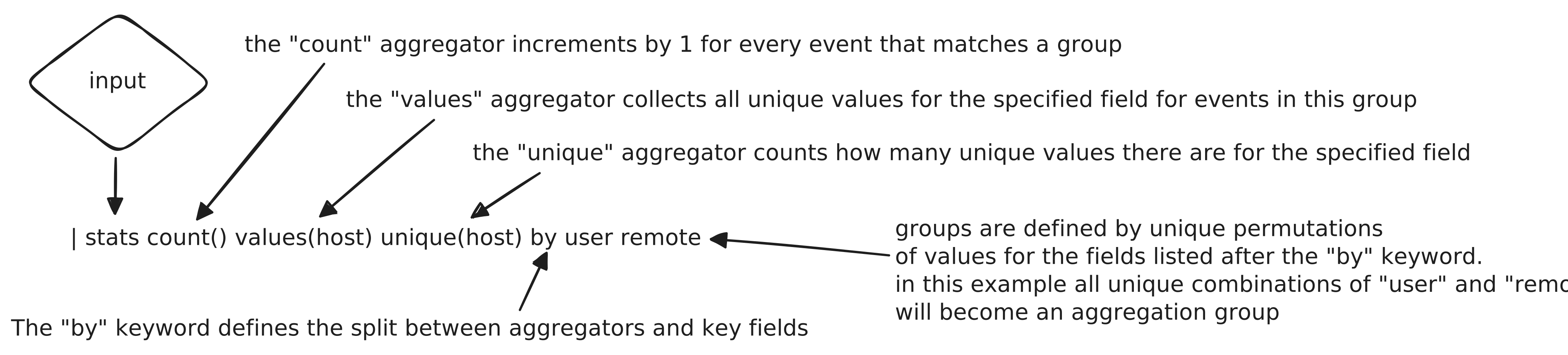
The final command is the blocking command “stats”, this command will group events by a set of fields and calculate aggregations for each group, then send the results to an output channel. Since this is the last command in the search, it’s output channel will be sent to the results collector.
| stats count() values(host) unique(host) by user remote
Results collection
As events are emitted by the stats command, they will be collected and sent to the results collector for this job. The results collector will write the events to a temporary file in the configured CRYSTALLINE_CACHE_DIR directory (/cache or /var/lib/crystalline/cache).
Once all events have been written and the channel from the stats command closed, the results collector will flush the file and mark the job as complete. The results will then be available from the search results API. If the job is cancelled before it completes, the results collector will delete the temporary file and no results will be available for this job.